Skip to content
Book a Call → mycocoon.life
Creative Cohort · 2026

12 weeks. From strategy
to campaign
, with AI.

For designers, art directors, content creators, filmmakers and marketers who want to think like a strategist and produce like a full studio. Three weeks of creative, brand and campaign strategy, then seven weeks of making: image, posters, film, animation, sound, music and post-production, all on one brand. Week twelve is Demo Day, where you show the live campaign you built.

See how this ran with the Derana teams →

12 Weeks
11 building + Demo Day
33 Sessions
Live and hands-on
7 Weeks
Of pure content creation
20 Max
Per cohort
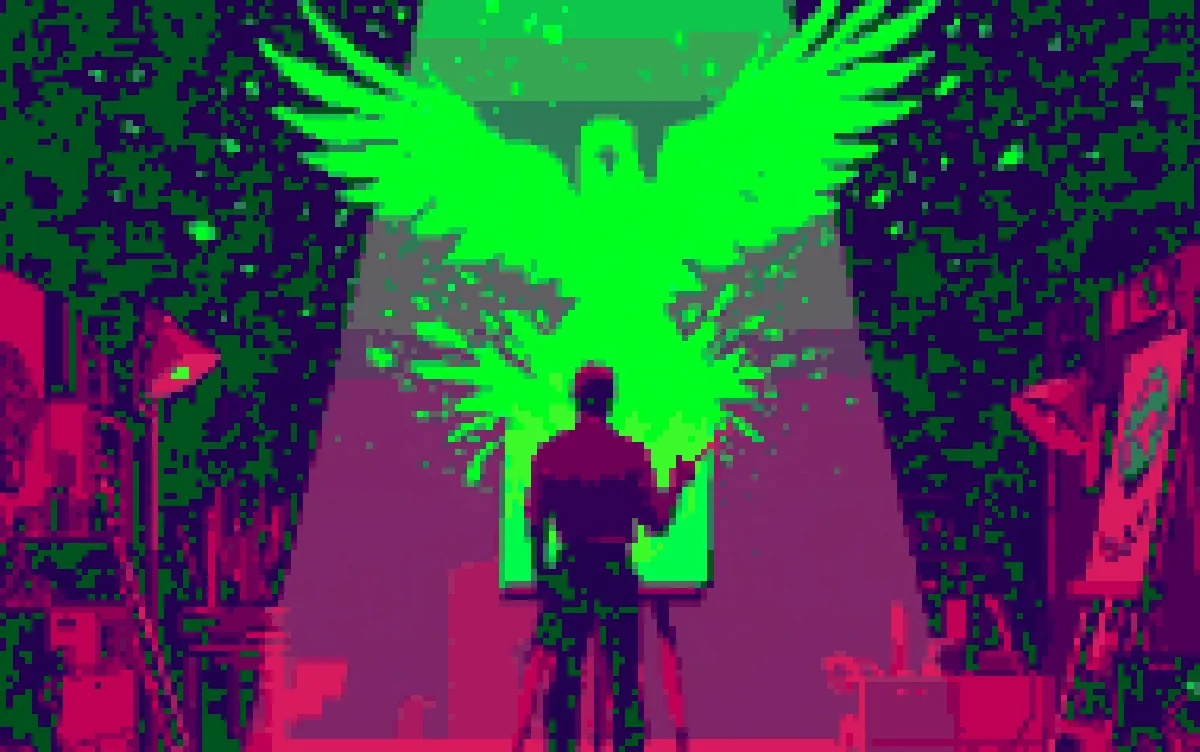
An artist at an easel with a huge glowing green bird bursting out of the canvas, in Cocoon pixel art
For Creatives

Taste becomes
the scarce thing.

When anyone can generate a thousand options, the value moves to knowing which one is any good. That has always been yours.

We remove the production ceiling entirely, so your judgement, not your output speed, becomes the only limit on what you make.
3

weeks of strategy before a single asset: creative, brand and campaign. You learn what makes work worth making, so everything you produce afterwards has a reason to exist.

7

weeks of pure content creation. Image craft, posters and flat creative, scripts, film direction, animation, sound design, music, voice, and a full post-production pipeline: edit, colour, mix and delivery.

1

brand, carried from its first insight to a published campaign with a finished brand film at its centre. You present it at Demo Day in week twelve.

Think like a strategist.
Make like a studio.

Anyone can type a prompt now. What clients and employers pay for is knowing what to make, why it will work, and making it well. This programme teaches the thinking first, then spends seven weeks on the making, image, film, sound and post, then puts it in front of real people.

01 / Weeks 1–3
Strategy before software

Creative strategy, brand strategy, campaign strategy and visual language. You learn how to find an insight, what makes an idea worthy, how brands are built and how they change, so every frame you make later has a reason to exist.

02 / Weeks 4–10
Seven weeks of making

Image craft and image-to-image, posters and flat creative, scripts, then film: directing, generating, animating. Then sound design, music and voice, and a real post-production pipeline: edit, colour, clean-up, mix and delivery.

03 / Weeks 11–12
Shipped, then shown

You plan the campaign, publish it and read the results. Then at Demo Day you present the whole thing, from first insight to finished film to live campaign. A case study, not a folder of experiments.

Built for people who make brands move.

Designers who want to own the thinking, not just the pixels. Marketers who want to make the work, not just brief it. Anyone whose job is to make people notice, feel and act.

Right For You If you make or run the work

  • → You're a designer, art director, content creator, filmmaker, editor or copywriter
  • → You're a marketer or social lead who wants to produce campaigns in-house
  • → You want to understand strategy, not just execute someone else's brief
  • → You want image, film, animation, sound and post-production in one workflow
  • → You run a brand, a studio or a freelance practice and want agency-level output
  • → You want a real campaign in your portfolio, not class exercises

Not A Fit If this sounds like you

  • ✕ You only want a tour of tools, not how to think about the work
  • ✕ You're not interested in hands-on experimentation
  • ✕ You want to just watch AI create without learning to direct it
  • ✕ You're looking for a purely technical coding programme
  • ✕ You want theory without making anything real
  • ✕ You expect AI to replace your own creative judgment
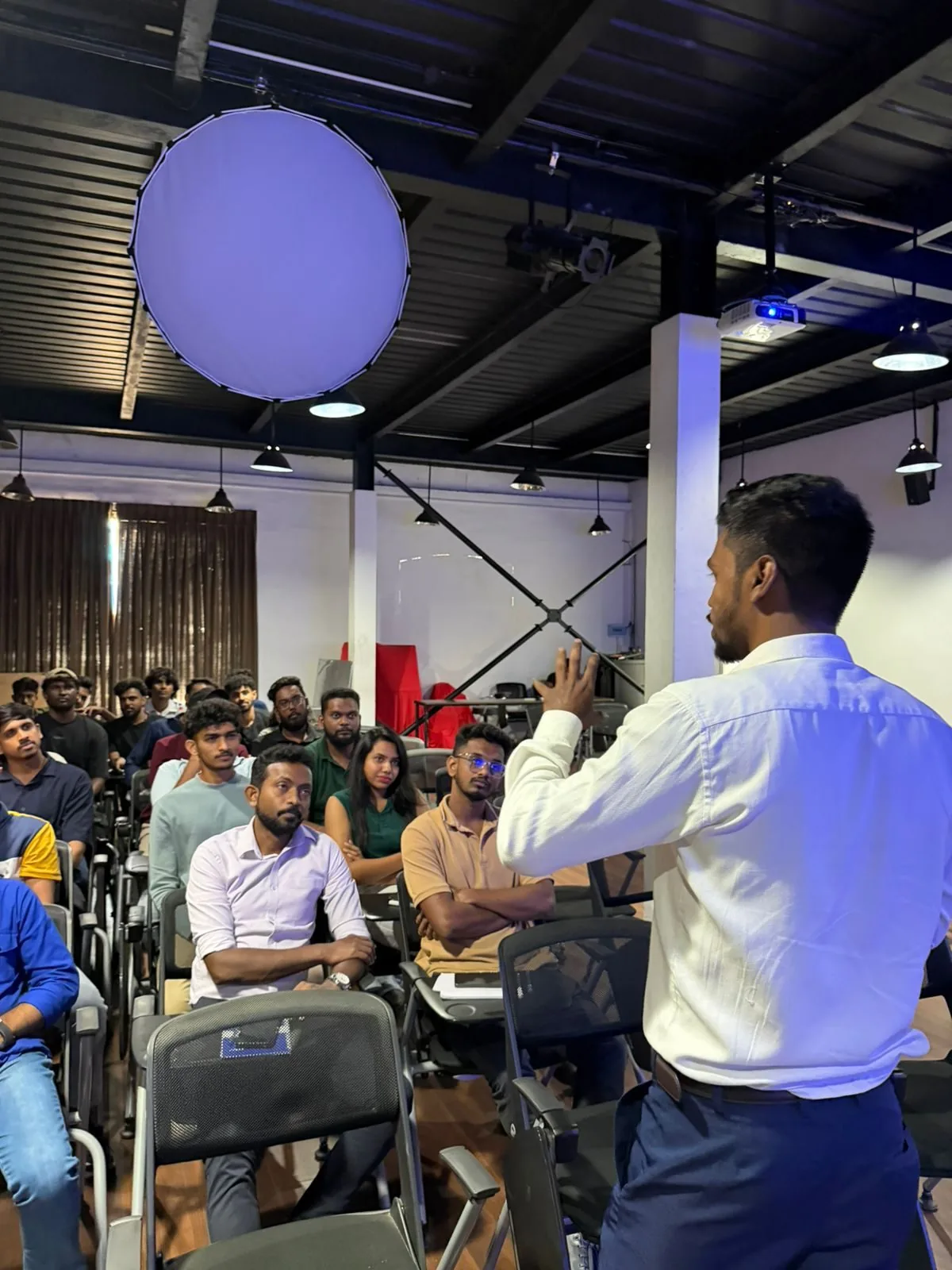
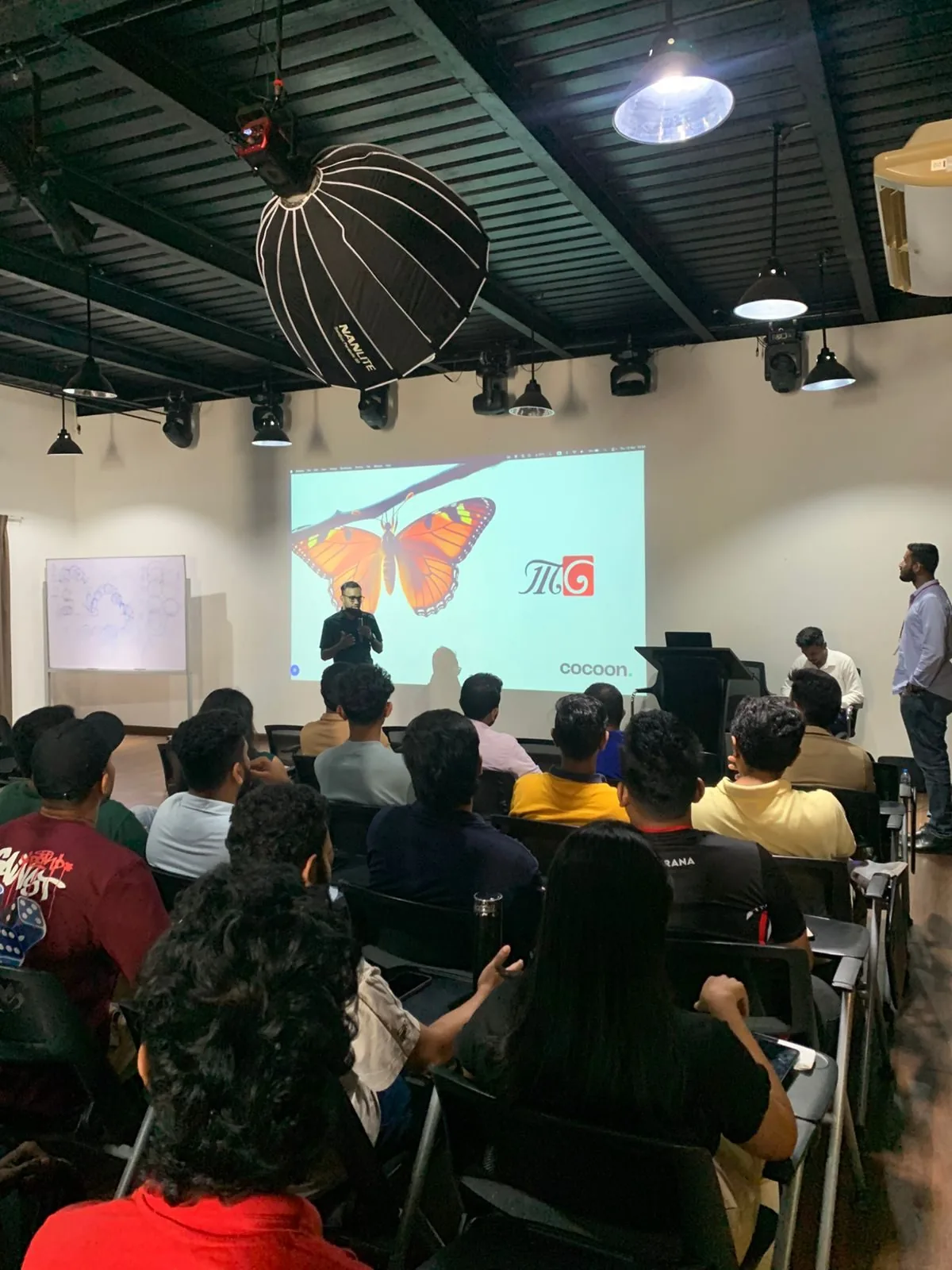
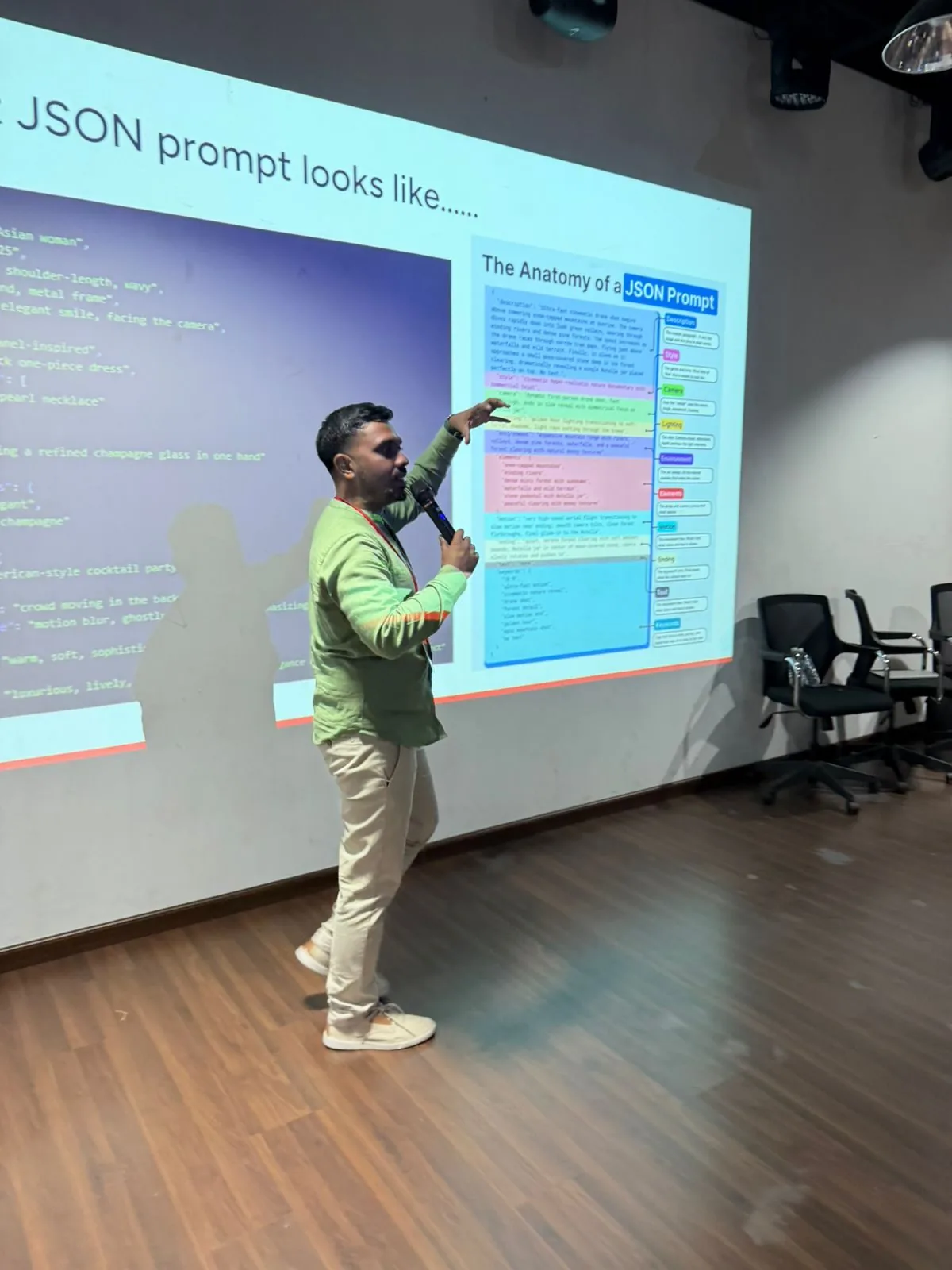
A full room of Derana creative team members in a Cocoon AI for Creatives session A structured JSON image prompt on screen during the Derana AI for Creatives session Ammar Ahamed presenting to the Derana creative teams

Built in the room with a real creative team.

AI for Creatives started as a bespoke programme for the Derana Macroentertainment teams in Colombo in early 2026, run over several weeks by Ammar Ahamed and Lishan Peiris.

The sessions were built around the teams' own workflows rather than a fixed deck: practical generative-AI work, and the judgement to know when to reach for it. This 12-week cohort takes what worked in that room and adds the depth a full campaign needs: strategy first, then film, sound and post-production.

See how it ran with Derana →

Six real things you'll have
by Demo Day.

Not a certificate of attendance. A complete brand campaign with a finished film at its centre, built layer by layer, from the strategy that justifies it to the post-production that makes it look real.

01
Creative, Brand & Campaign Strategy

Evidence-backed insights, a creative brief, a brand platform and voice guide, and a one-page campaign strategy with the big idea every asset answers to. Weeks 1 to 3.

02
An Image Library & Style Bible

A campaign image library in one consistent look: product scenes made image-to-image from real photos, recurring characters and worlds, and the prompt system that produces them.

03
Posters & Flat Creative

A key visual, a print-ready poster series finished in Photoshop or Affinity, and a static ad and carousel set in every size the campaign needs.

04
A Brand Film You Directed

A 60–90 second film taken from treatment and storyboard through generation, animation and a full post-production pass: edited, graded, cleaned up and mastered, plus cut-downs for every feed.

05
A Sound & Music Pack

An original score, a sonic logo, a sound-design pass and voiceovers, mixed to the right loudness for every platform. The half of the film most people forget.

06
A Live Campaign & Case Study

A content calendar, the campaign published (or fully launch-ready if your brand can't go live yet), the results read back, and a Demo Day case study that shows the whole journey. The centrepiece of your portfolio.

Every tool the campaign needs.
Chained into one pipeline.

You'll work hands-on with the best creative AI tools in the world, but the real skill is chaining them into one workflow. We teach you to move an idea across tools end to end, not just play with each one in isolation.

Example Integrated Workflow

Claude helps you research the audience and pressure-test the strategy and brief → Midjourney and Gemini build the key visual and turn a real product photo into campaign scenes → Photoshop or Affinity set the type and finish the posters → Higgsfield and Runway animate it into a film, with ElevenLabs and Suno on sound → Canva resizes everything and it ships. One idea, one pipeline, a live campaign.

Higgsfield
Cinematic Video AI

AI cinematic video and visual effects, dynamic camera moves, stylised shots, and motion from text or stills. Turn a Claude-written shot list into film-grade footage in minutes.

Google AI Labs
Experimental AI

A suite of experimental AI research tools from Google, including generative art, music, and creative experiments. Cutting-edge tools for adventurous creators exploring the frontier.

InVideo
Video Production

AI video creation and editing platform. Convert text, images, or audio into polished videos. Perfect for content creators, marketers, and filmmakers working at scale.

Midjourney
Visual AI

The world's most powerful image generator for creative work. Logos, brand assets, illustrations, concept art, all driven by your prompts.

Adobe Firefly
Design AI

Commercially safe generative AI built into the Adobe ecosystem. Seamless for designers working in Photoshop, Illustrator, and Express.

Affinity
Design & Finishing

A pro-grade, one-time-purchase alternative to Adobe for photo editing, vector design, and layout. Where you composite, retouch, and brand AI-generated assets into a finished deliverable.

Google Gemini
Image-to-Image

Edit and transform real photos with words: place a product in a new scene, relight it, swap backgrounds, keep faces and packaging consistent across a whole set.

Suno
Music & Sound

Original scores, jingles and sonic logos from a text prompt. The music bed under your hero film and every cut-down, in the mood your campaign needs.

ElevenLabs
Voice & Audio

Realistic voiceovers, character voices, audio branding, and narration. Indistinguishable from human recording at a fraction of the cost and time.

Runway
Video AI

Text-to-video, video editing, and AI VFX. The industry standard for AI filmmakers. Used by studios worldwide for real production work.

Pika
Film Production

Generate and edit cinematic video from text and images. Perfect for music videos, short films, branded content, and visual storytelling at scale.

Google Veo
Video & Native Audio

Generates cinematic shots with sound already in them, dialogue, ambience and effects. Strong camera control for directed, shot-by-shot filmmaking.

DaVinci Resolve
Edit, Colour & Audio Post

The professional post-production suite, with a free version. Where AI footage gets cut, colour-matched, graded and mixed into something that looks shot, not generated.

Topaz Labs
Upscale & Restore

Upscales, sharpens and de-noises AI images and video, and smooths frame rates. The finishing step that takes generated footage to broadcast and print quality.

Claude
Writing Partner

The world's best AI writing collaborator. Long-form copy, scripts, story development, brand voice, it matches your tone and elevates your ideas.

ChatGPT
Creative Assistant

Brainstorming, ideation, rapid drafting, and editing. The most versatile creative AI, useful at every stage of the creative process.

Gamma
Presentations

AI-generated decks, pitch documents, and visual presentations. From brief to beautiful deck in minutes. Essential for client work.

Canva AI
Design Production

Magic Studio, AI image generation, and one-click brand kit application. The fastest way to produce polished creative assets at volume.

100+ Alternatives
We Show. You Choose.

We introduce you to the ecosystem. You pick the tools that match your vision. Your creative stack. Your rules.

Want to explore the full AI tools ecosystem? Browse 1,000+ tools across 40 categories, constantly updated as new creative AI launches.

Explore the Directory →

11 weeks. 33 sessions.
Then Demo Day.

Three weeks of strategy. Seven weeks of making: image, posters, story, film, motion, sound and post-production. One week to launch, then Demo Day. Every week writes a chapter of your Brand Book, and every session is a Teach, a Studio or a Crit, so you are making and getting feedback all the way through.

Creative Strategy: What Makes Work Worth Making

Before any tool, the thinking. You learn how strategy works, from diagnosing the situation to finding a true insight and turning it into an idea worth making. AI comes in as your researcher and sparring partner, never your author. You also choose the one brand you carry for twelve weeks, start your swipe file and meet your pod.

THE QUESTIONWhy does some work move people while the rest gets scrolled past?

★ Kickoff and brand choiceBrand Book ch. 1: Diagnosis and insightBuilds: Find the insightPre-work: Strategy Is Your Words, Mark Pollard
W1 · Session A
What Creative Strategy Actually IsTeach
Diagnosis, strategy, then tactics, in that order
  • Diagnosis before strategy before tactics, and why most work skips the first two
  • The three circles: brand, audience and culture, and the insight where they overlap
  • Insight, idea, execution: teardowns of campaigns that worked
  • How attention changed: feeds, short form, and timelines flooded with AI content
Capstone

A teardown of three campaigns in your category, each traced from insight to idea to execution.

W1 · Session B
Finding the InsightStudio
Research and listening, with AI doing the heavy lifting
  • AI-assisted research: reviews, comments, forums, search data and competitor content
  • Observation, fact or insight: telling them apart
  • Tension: what your audience feels that nobody in the category is saying
  • Using AI to stress-test your thinking, and catching it when it just agrees with you
Capstone

Three insight statements for your brand, each with an evidence log.

W1 · Session C
From Insight to IdeaCrit
Past the first, average answer
  • Why the model's first answer is the average answer, and how generative models work, just enough to direct them
  • Ideation methods: constraints, reversals, provocations, unlikely combinations
  • Judging an idea: is it true, is it different, can it travel
  • First crit using I like / I wish / What if, in pods
Capstone

Your strongest insight and three idea territories, critiqued by your pod.

Brand Strategy: What a Brand Stands For, and How It Changes

A brand is what people remember and feel when they meet you. Week 2 builds that on purpose: who the brand is for, where it sits, what it promises, how it sounds and the assets that make it recognisable in a second. Then the hard part: how brands evolve without losing themselves, and how to stay consistent when AI can make a thousand variations a day.

THE QUESTIONWhat should people remember about this brand, and why would they care?

Brand Book ch. 2: Brand platformBuilds: Build the brandPre-work: How Brands Grow, on mental and physical availability, Byron Sharp
W2 · Session A
Brand FoundationsTeach
Segmentation, targeting and positioning
  • Segmentation, targeting and positioning: choosing who the brand is really for
  • Positioning: frame of reference, point of difference, reasons to believe
  • Mental and physical availability: why brands grow by being easy to think of and easy to buy
  • Mapping the category with AI: who owns which idea, colour, tone and promise
Capstone

A positioning statement and a category map showing where your brand can win.

W2 · Session B
Brand Platform, Voice & Distinctive AssetsStudio
Turning position into something people recognise
  • The brand platform: purpose, values, personality and promise
  • A tone-of-voice guide written so both people and AI tools can follow it
  • Distinctive brand assets: colours, shapes, characters and sounds, scored for fame and uniqueness
  • Brand building versus selling: what each needs from the work
Capstone

A brand platform, a voice guide and a distinctive-asset audit.

W2 · Session C
How Brands ChangeCrit
Refresh, rebrand, reposition, and keeping your shape
  • Refresh, rebrand or reposition: what each one means and when each is right
  • Evolutions that worked and ones that failed, and what separated them
  • Guardrails for AI scale: brand-safe prompt kits and what the model never decides
  • Culture read #1, then a Critical Response Process crit on your platform
Capstone

A brand evolution memo: what stays, what changes, and what AI is never allowed to touch.

Campaign Strategy & the Brief

Week 3 turns brand into action. You design the campaign: the objective, the two-speed plan, the big idea and the role every channel plays. Then you write the brief everything else in the programme answers to. The week ends with Brief in a Day, a real brief cracked and pitched in a single session, and Brief Lock.

THE QUESTIONWhat is the one idea that can run everywhere, and can you say it in a sentence?

★ Brief LockBrand Book ch. 3: Campaign strategy and the briefBuilds: Find the insight · Ship and defendPre-work: The Long and the Short of It, Les Binet and Peter Field
W3 · Session A
Campaign StrategyTeach
One big idea, built to run across every channel
  • Objectives: awareness, consideration or conversion, and how each changes the work
  • Two speeds: brand building plus activation, and arguing the split
  • The big idea and the campaign platform: one thought that flexes into any format
  • The comms ecosystem: a clear role for every channel, and how you will measure it
Capstone

A one-page campaign strategy: objective, audience, two-speed plan, big idea, channels, measures.

W3 · Session B
Writing the BriefStudio
The document every asset answers to
  • Get / To / By: who we want to reach, what we want them to do, and how we will get them there
  • The house brief template, section by section
  • The one-sentence test: if it cannot be said in a sentence, it is not ready
  • Strategy line → idea line: the pair every portfolio piece will carry
Capstone

Your campaign brief, written on the house template.

W3 · Session C
Brief in a Day + Brief LockCrit
A real brief, cracked and pitched in one session
  • A real brand brief set at the start of the session
  • Pods crack it, make a rough and pitch it before the end
  • Then every learner's own brief is reviewed by the trainers
  • Brief Lock: your brief is signed off, and the making starts
Capstone

A Brief in a Day pitch from your pod, and your own brief, locked.

Visual Language & Image Craft

The making starts with still images, because every poster, post and film frame grows from them. You define your campaign's visual language, learn to see and direct like a photographer, and climb the control ladder from a text prompt to image-to-image. The week ends by locking your visual bible: the references every later image and shot must cite.

THE QUESTIONCan you make an image that looks shot, not generated, and make it again on purpose?

★ Visual bible lockBrand Book ch. 4: Visual bibleBuilds: Art-direct imagesPre-work: The Visual Story, on contrast and affinity, Bruce Block
W4 · Session A
Visual Language & Art DirectionTeach
Where strategy becomes something people can see
  • Colour, type, composition, light, texture and motion as brand decisions
  • Mood boards and references, and reading what a reference actually communicates
  • Photographic language: lens, depth of field, angle and light as emotion
  • Cultural codes: visuals that read right for your market
Capstone

A visual language board for your campaign.

W4 · Session B
The Control Ladder & Image-to-ImageStudio
From a prompt to a real product in a new world
  • The control ladder: text, image reference, edit and inpaint, manual composite
  • Choosing the model by the control you need: Midjourney, GPT Image, Gemini, Firefly
  • Image-to-image: a real product or person placed into new scenes without losing them
  • Relighting, background swaps, matching shadows and perspective
Capstone

Six campaign scenes made from one real product photograph.

W4 · Session C
Visual Bible LockCrit
The references every later asset must cite
  • Character sheets: the same face and outfit from every angle
  • Location plates and product references in one shared folder
  • The slop audit, introduced and applied to your own images
  • Dailies #1 and a blind crit
Capstone

Your visual bible, locked: characters, locations, products and style references.

Posters, Key Visuals & Flat Creative

Graphic design with AI as the image engine and you as the designer. You design the key visual the whole campaign grows from, finish a poster series to print standard, and adapt it into flat creative for every platform. AI makes the image. You set the type, the hierarchy and the standard. The week closes with a silent gallery walk.

THE QUESTIONCan one image carry the whole campaign at a glance?

Brand Book ch. 5: Key visual and flat setBuilds: Art-direct imagesPre-work: Thinking with Type, the chapter on hierarchy, Ellen Lupton
W5 · Session A
Posters & Key VisualsTeach
The image that carries the campaign
  • Hierarchy, a single focal point, contrast and the three-second read
  • Designing the key visual every other asset, including the film, grows from
  • Poster series: variation with a system, not by accident
  • Print, outdoor and screen: what changes and what must stay
Capstone

Your key visual and a series of three posters.

W5 · Session B
Typography & FinishingStudio
The details that make it professional
  • Typography over AI imagery: why the model should not set your type
  • Compositing, generative fill and retouching in Photoshop or Affinity
  • Upscaling and print preparation: resolution, colour, bleed
  • The finishing checklist that separates a pro poster from an AI one
Capstone

Your poster series finished to print standard.

W5 · Session C
Flat Creative + Gallery WalkCrit
One visual, every size, judged in silence
  • Static ads, carousels and social posts: the rules of each format
  • Every ratio without breaking the composition, and copy that works at thumbnail size
  • Deliberate test variants, not random ones
  • Silent gallery walk: work on the wall, notes on cards, no talking
Capstone

A full flat-creative set in every size, revised after the gallery walk.

Story, Script & Emotion

Before a single frame of film, the words. People share feelings, not information, so you choose the emotion, build the story, write the copy and script the film you will direct for the next four weeks. The week ends with a table read and Mentor Day: back-to-back sessions with guest practitioners at the halfway mark.

THE QUESTIONWhat should people feel, and what story gets them there?

★ Mid-point Mentor DayBrand Book ch. 6: Story and scriptBuilds: Find the insight · Direct the filmPre-work: Story, selected chapters on structure, Robert McKee
W6 · Session A
The Emotional BriefTeach
Choosing the feeling before the format
  • Why emotion beats information for attention, memory and action
  • Emotional territory: the one feeling your campaign will own
  • Story in seconds: tension, turn and release
  • Hooks: the first line, the first frame, the first second
Capstone

An emotional brief and a beat sheet for your hero film.

W6 · Session B
Copy & ScriptStudio
Words written to be read, seen and heard
  • A copy deck in your brand voice: headlines, lines, captions
  • The clichés AI loves, and editing them out
  • Script formats: 15, 30, 60 and 90 seconds
  • Writing for the eye (action lines that become shots) and the ear (voiceover that sounds spoken)
Capstone

A copy deck and a shooting script for your hero film.

W6 · Session C
Table Read + Mentor DayCrit
The halfway check, with outside eyes
  • Every script read aloud, then a Critical Response Process crit
  • Back-to-back twenty-minute sessions with guest practitioners
  • A written reset plan for the second half
  • End-of-phase reflection, in pods
Capstone

A revised script and your reset plan.

Film I: Pre-Production & Directing

Four weeks of film start here. Great AI films are directed, not prompted, so this is pre-production. You write the treatment, stage a shared scene to learn coverage, board every beat as an approved still before any video is generated, and write camera direction a model will follow. The week ends with an animatic screening.

THE QUESTIONWhat is each shot for, and how will you get the model to make it?

Brand Book ch. 7: Treatment, boards and animaticBuilds: Direct the filmPre-work: Ultimate prompting guide for Veo 3.1, Google Cloud
W7 · Session A
Thinking Like a DirectorTeach
The treatment, and a shared scene
  • Formats: brand film, product film, social short, music-led piece
  • Visual storytelling: framing, pace and light carrying emotion without words
  • The director's treatment: tone, look, references and story
  • The blocking exercise: the whole cohort stages the same one-page, two-person scene
Capstone

A director's treatment for your film, and your version of the shared scene.

W7 · Session B
Coverage & KeyframesStudio
Every beat approved as a still before any video
  • Coverage: wide, medium, close-up, reverse and insert for every scene
  • Keyframe-first: generate and approve a still for every beat, from your visual bible
  • The storyboard, built from those keyframes
  • The animatic: boards timed to a scratch voiceover
Capstone

A full storyboard and a timed animatic.

W7 · Session C
Camera Language for ModelsCrit
Directing a machine like a camera crew
  • Shot size, lens, movement and light, written so video models follow them
  • The shot prompt: cinematography, subject, action, context, style and sound
  • Start and end frames, multi-shot prompting and shot length
  • Animatic screening and crit
Capstone

A shot-prompt bible: one tested prompt and keyframe for every shot.

Film II: Generation, Motion & Performance

Production week. You generate your film shot by shot with proper coverage, keep every character and product consistent, animate the brand itself and handle people on screen. Every learner logs the iterations on one hard shot, and puts at least one real phone shot into the film. The week ends with the Braintrust: a panel reviews your rough assembly.

THE QUESTIONDoes it still feel like one film, and one brand, once it moves?

★ BraintrustBrand Book ch. 8: Rough cut and motion packBuilds: Direct the filmPre-work: Creativity, Inc., the chapter on the Braintrust, Ed Catmull
W8 · Session A
Shot Generation with ControlStudio
Consistency, coverage and the iteration log
  • Reference-driven generation from your visual bible and keyframes
  • Start and end frames, camera moves and options for every shot
  • The iteration log: ten or more attempts at one hard shot, and what each change did
  • Choosing the model by the shot: Veo, Kling, Runway, Higgsfield, Seedance
Capstone

All the footage for your film, with coverage, plus one iteration log.

W8 · Session B
Motion, People & Hybrid ShotsStudio
Animation, performance and real footage
  • Animation starts with exaggeration and performance
  • Logo sting, kinetic type, loops and end cards
  • Dialogue, lip sync and performance transfer
  • The hybrid shot: real phone footage with AI extension or VFX
Capstone

A motion pack and one finished hybrid shot.

W8 · Session C
The BraintrustCrit
Your rough cut, under candid review
  • Your rough assembly screened to a panel
  • Notes on what is wrong, missing, unclear or does not make sense
  • The panel has no authority: you decide what changes
  • Your kill list: the shots and moments that go
Capstone

A rough cut, Braintrust notes and your kill list.

Sound Design, Music & Voice

Sound is half of every film and the half most AI work gets wrong. You build the soundtrack in layers the way post houses do: dialogue, backgrounds, effects and Foley, then music. You score to picture through a temp track and a spotting session, create a sonic logo, cast and direct voices, and licence-check everything.

THE QUESTIONWhat does your brand sound like?

Brand Book ch. 9: Sound pack and stemsBuilds: Finish like a proPre-work: Audio-Vision, on added value, Michel Chion
W9 · Session A
Sound Design in LayersTeach
Building the world people hear
  • The layer order: dialogue, backgrounds, effects and Foley, then music
  • Generating and layering sound effects with AI
  • Designing for sound-off feeds and sound-on screens at once
  • Silence, rhythm and the hit points that make an edit land
Capstone

A full sound-design pass on your film.

W9 · Session B
Music, Scoring & Sonic BrandingStudio
Temp score to spotting session to original score
  • Cut to a temp track, then hold a spotting session with a cue sheet
  • Original music with Suno, matched to your emotional brief
  • A sonic logo people recognise in two seconds
  • Stems, edits and the licence check every track must pass
Capstone

An original score, a cue sheet and a sonic logo.

W9 · Session C
Voice + Listening CritCrit
Casting, directing and hearing it fresh
  • Voiceover with ElevenLabs: casting a voice that fits the brand
  • Directing delivery: pace, emphasis, emotion and breath
  • A version in a second language, and voice consent
  • Blind listening crit: sound only, no picture
Capstone

The finished voiceover, a second-language version and music and effects stems.

Post-Production: Edit, Colour, Mix & Delivery

Where generated clips become a finished film. You cut what the Braintrust told you to cut, lock picture, match and grade shots from different models into one look, fix artefacts, mix to platform loudness and deliver every format the campaign needs, with its provenance dossier. This is the week that makes AI work look professional.

THE QUESTIONWould anyone guess this was made with AI, and does it matter if they did?

★ Picture lock and final masterBrand Book ch. 10: Master film and deliverablesBuilds: Finish like a proPre-work: In the Blink of an Eye, Walter Murch
W10 · Session A
The Edit + Kill Your DarlingsStudio
Rhythm, the first two seconds, picture lock
  • Assembling in DaVinci Resolve or CapCut
  • Working the kill list from the Braintrust: cut what does not serve the idea
  • Cutting for attention: hooks, pace, and cutting to music and voice
  • Picture lock
Capstone

A picture-locked edit.

W10 · Session B
Colour & Clean-upStudio
Making shots from different models one film
  • A node pipeline: balance, match, look, output
  • Matching shots generated by different models
  • Fixing artefacts: hands, flicker, warping, paint-outs
  • Upscaling and frame interpolation with Topaz, titles and graphics
Capstone

Your film graded, cleaned up and finished.

W10 · Session C
Mix, Deliver + Final ScreeningCrit
Every format, every platform, to spec
  • Mixing voice, music and effects to −14 LUFS integrated, −1 dBTP for social
  • Captions and subtitles, burned in and as files
  • Every ratio, cut-downs and the delivery spec sheet
  • The provenance dossier, then a final screening crit with frame-accurate notes
Capstone

The master film, three cut-downs, every delivery file and the provenance dossier.

Launch, Measure & Rehearse

The campaign goes out. You build the launch plan around your two-speed strategy, check every video against the ABCDs, publish to real channels and read the early results honestly. Then you turn twelve weeks of work into a case study and run it at Rehearsal Day, where the first draft is expected to get cut hard.

THE QUESTIONWhat happened when it met real people, and what would you change?

★ Launch and Rehearsal DayBrand Book ch. 11: Launch and resultsBuilds: Ship and defendPre-work: How to Present to Investors (the rules hold for creative work), Paul Graham
W11 · Session A
The Launch PlanTeach
Turning one film into a month of work
  • The asset matrix: every piece, format and channel, mapped to the big idea
  • A content calendar that reflects the two-speed plan
  • A content series that keeps the campaign alive past launch
  • The ABCD check on every video before it ships
Capstone

A launch plan with a four-week calendar and a complete asset matrix.

W11 · Session B
Publish & MeasureStudio
Getting it in front of people, and reading what happened
  • Publishing and scheduling to each channel's specs and rhythm
  • Captions, alt text and community replies in your brand voice
  • A/B testing the variants you made
  • Reading results honestly: reach, watch time, engagement, what really moved
Capstone

Your campaign live, or fully launch-ready, with a first results read-out.

W11 · Session C
Rehearsal DayCrit
Peers only, full run-throughs, cut hard
  • The case study: insight, idea, execution, result
  • Getting to the film fast, and one line people remember
  • Full peer run-throughs against the Demo Day rubric
  • Rewrite, rehearse again
Capstone

Your Demo Day presentation, rehearsed and rewritten.

Week 12, Demo Day

Twelve weeks, one room. Each creative presents their brand from first insight to finished film to live campaign, the way a creative director presents to a client. The brand film plays early and on the big screen. The room includes the trainers, your cohort and invited guests.

THE QUESTIONCan you take a brand from a blank page to a finished film and a campaign people saw?

★ Demo DayBrand Book: complete
W12 · Format
Demo Day
Your campaign, presented to the room
  • A gallery wall of key visuals and posters, with QR codes to the live campaigns
  • Eight-minute slots: a five-minute case study with the film shown early, then three minutes of questions
  • One speaker, one operator: a trainer runs your screen so you can present
  • Awards: Jury Prize, Best Film, Best Insight, People's Choice
In the room

Live feedback from the panel, your cohort and invited guests.

W12 · What you show
The Brand Book
Twelve chapters, one story
  • Diagnosis, insight, brand platform, campaign strategy and the brief
  • Visual bible, key visual, posters and the flat set
  • The film: treatment, boards, master, sound pack and provenance dossier
  • Launch plan, live campaign and results
You leave with

A portfolio-ready case study and showreel you can send the next morning.

W12 · How it is judged
The Jury Rubric
The same standard you worked to all along
  • Strategic insight 20 · Big idea 20 · Craft 25
  • Brand consistency 10 · Results and learning 15
  • Presentation 10
  • No surprises: it is the programme rubric, weighted
Certificate

Your Cocoon AI for Creatives certificate, awarded on the day.

Built like a studio,
not a lecture series.

Benchmarked against the best ad schools, film schools and cohort programmes in the world. One brand, one Brand Book, one rubric (insight, idea, brand, craft, effect) used from week one to Demo Day, and real critique every single week.

WEEK 3Brief Lock
WEEK 6Mentor Day
WEEK 8Braintrust
WEEK 10Picture lock
WEEK 11Rehearsal Day
WEEK 12Demo Day

Every week

  • Session A, Teach. Short input, then a live worked example where the trainer narrates every decision. Then everyone tries it on a small task.
  • Session B, Studio. Making time on your own brand, in your pod, with the trainers going desk to desk.
  • Session C, Crit. Dailies and critique. Unfinished work on screen, a structured feedback protocol, and a guest practitioner at the milestones.

Every day

  • Swipe file. One reference a day, with one line on why it works. By Demo Day you have sixty-plus, and a sharper eye.
  • Dailies. Every week you show unfinished work. Rough is required. Problems found early cost nothing.
  • Pods of five. Four fixed pods meet between sessions. Every piece you ship gets written notes from your pod, and you give notes on theirs.
  • Culture read. Each crit session opens with one learner presenting a cultural moment and what it means for our briefs.
  • Build in public. One process post a week. Demo Day is easier when people have watched you build.

House standards

  • Strategy line → idea line. Every piece in your portfolio is shown as a pair: the strategic truth in one sentence, then the idea in one sentence.
  • The control ladder. Text prompt → image reference → start and end frames → motion or performance transfer → manual composite. Climb only as high as the shot needs. It works whatever the model of the month is.
  • The slop audit. Before anything is shown: skin, hands, eyes and eyelines, physics, continuity of wardrobe and props, text artefacts, brand marks. Anything that fails is fixed or cut.
  • Provenance dossier. Every final ships with its paper trail: tools and models used, licence status of music and voices, consent for any real face or voice.

Read the full syllabus →

Get the full 12-week syllabus.

Every week, session, capstone, rubric and reading list on one printable page, free. We follow up personally with the next cohort's dates, format and price.

Or skip ahead and book a discovery call. Maximum 20 participants per cohort.

It's on its way.

Check your inbox in a minute, and we will be in touch with dates and price for the next cohort. You can open the syllabus right now too, it prints neatly to PDF.

Open the syllabus →

Everything you need.
Nothing you don't.

No hidden extras. No upsells. Everything you need to go from a blank page to a live, presented campaign is inside the cohort.

What's included

One cohort, eleven weeks of live building and a Demo Day, and everything you need to leave with a real campaign and the thinking behind it.

  • ✓
    33 live sessions over 11 weeks, with creative practitionersNot academics. Working creatives who use these tools on real projects every day.
  • ✓
    Access to the Cocoon AI Tools Library1,000+ curated tools across 40 categories, updated continuously as new tools launch.
  • ✓
    Weekly critique and Demo DayYour work reviewed every week by the trainers and your cohort, then presented in full at Demo Day.
  • ✓
    All session recordingsEvery session recorded and available to you permanently, so you can revisit any workflow.
  • ✓
    Community accessCreative cohort Slack, alumni network, and ongoing peer feedback as your practice grows.
  • ✓
    Certificate, awarded at Demo DayCocoon AI for Creatives, with your published case study as the proof behind it.

What this is not

A passive lecture series, every session ends with something you made
A tool tour, strategy comes first and the tools serve it
A tool demo without application, the tools become your daily practice
A pile of unrelated exercises, every session builds the same brand campaign
Something that replaces your creative voice, it's designed to amplify it
Next cohort
Forming now
Maximum 20 participants. Seats allocated on first-come, first-confirmed basis.
Apply Now →

Taught by practitioners.
Not theorists.

Ammar Ahamed
Ammar Ahamed
Founder, Cocoon · Head of Growth, Vector & BuildrLabs

Ran the original AI for Creatives programme with the Derana teams. Leads growth and AI adoption work across the region.

LinkedIn →
Lishan Peiris
Lishan Peiris
Assistant Manager, Brand, Wavenet · Lecturer, AMDT

Co-facilitated the Derana programme. Brand strategy, AI for brands and tech marketing, creative lead and product marketer.

LinkedIn →
"These aren't just programmes and modules for us. These are skills we use on the daily. All trainers are experts in their own creative fields, using AI every day and actively seeing returns on their craft."
Cocoon Creative Trainers

Meet every Cocoon trainer →

Before you commit
to twelve weeks.

How much time does it take each week?

Three live sessions a week for eleven weeks, then Demo Day. Every session ends with a capstone, so plan for some making time between sessions as well. How much depends on how far you push your work. Session times are set per cohort and confirmed before you enrol.

Is it online or in person?

Cohorts can run online, in person in Colombo, or both. The format for each cohort is confirmed before you commit to anything.

How much does it cost?

The price depends on the format and on whether you join a public cohort or bring a team. Get the syllabus and we follow up with the current price, or book a call and ask.

Do I need to pay for AI tools?

Some of the tools have free tiers and some do not, and you do not need every subscription. Before the making weeks start we tell you where a free tier is enough and which one or two paid plans are worth it for your kind of work, so there are no surprises.

Do I need design or video experience?

No. You need to be comfortable on a computer and willing to make something every week. Designers and editors move faster in the making weeks, marketers move faster in the strategy weeks. The programme is built so each group stretches the other.

What computer do I need?

Most of the tools run in the browser, so a reasonably modern laptop handles almost everything. Week 10 (post-production) uses an editor such as DaVinci Resolve or CapCut, which runs better on a stronger machine. Tell us what you have and we will tell you if it will struggle.

Which brand do I work on?

Your choice: your own brand, a client's, your employer's (with their permission), or a brief we give you. You pick it in Week 1 and carry it all the way to Demo Day.

What if my brand cannot publish a campaign yet?

Publishing to real channels is the goal, but a client under NDA or a brand that has not launched does not have to. A fully scheduled, launch-ready campaign counts, and at Demo Day you present the plan and the work in place of live results.

What if I miss a session?

Every session is recorded and stays available to you, so you can catch up and bring your capstone to the next critique.

Who owns the work I make?

You do. Cocoon claims nothing over it. Commercial use of AI-generated work also depends on each tool's own terms, which we cover in the programme, along with copyright, likeness and disclosure.

Can my company send a whole team?

Yes. The programme started as a bespoke version for the Derana creative teams, built around their own workflows. A team version can be shaped around your brand and your briefs. See bespoke programmes.

Cocoon AI for Creatives · 2026

From a blank page
to a campaign people saw.

AI for Creatives is twelve weeks of strategy, image, film, sound, post-production and publishing, built on one brand and shown at Demo Day. Your thinking. Your craft. Amplified.

Join the Next Cohort → Get the Syllabus →
11 weeks + Demo Day Max 20 participants 33 live sessions A live campaign in your portfolio